





sampath78
Members
-
Joined
-
Last visited
Everything posted by sampath78
-
Thanks isurujosh for the update.
-
Thanks Bluehaze,I got the tables with Firefox. But I was unable to find such tables in my japanese manuals. Isuru: do u have the axio manuals, if so pls provide the tables.
-
I can't access the attached files,is it my IE web browser error ? If possible pls attach in another format.
-
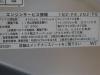
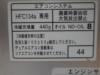
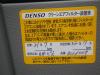
At the moment I have only the photos of the car labels,I will provide the tables once scaned the manuals. Thanks to update if someone can understand the meaning of the labels as well.
-
Here i attached the labels available in the car and thanks to provide English translations if possible.Label 1 and 2 are placed inside the car bonet and 3rd label placed on the driver's door.Hope these labels have some useful info.
-
-
I have the owner manul but it is in japanese.Also I searched the internet and unable to find English version. Since the different garages(includig Local agent) give un-matched information it is hard to find the correct info regarding oil replacment etc.(For Auto Trans oil,its life cycle as 40000km,80000Km,100000km etc..)
-
Hi, I have Toyota corolla AXIO X and need to get some information about its maintenance.Thanks to provide such information, Automatic Transmission Oil replacemnt cycle ( Eg 40000 KM etc) Engine oil replcement cycle ( Engine type 1NZ-FE) Petrol Filter repclement cycle Differential oil replacement cycle


