






sathyajithj99
Members
-
Joined
-
Last visited
Everything posted by sathyajithj99
-
Tell whether it's a sedan/crossover/MPV
-
-
I believe you said it first with all those hidden clues 🤪
-
-
Headlamp is a bit Subaruish
-
-
You're heading towards the correct direction.
-
Congratulations 🎊Correct. Over to you
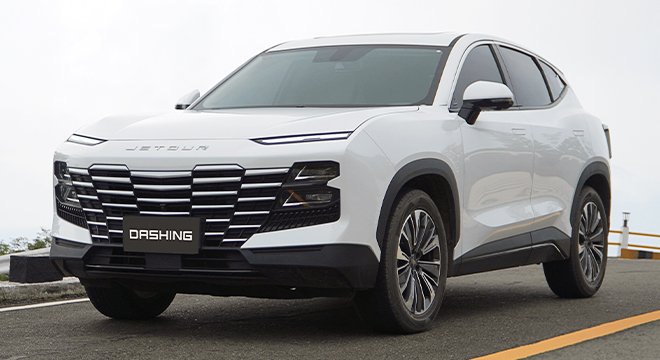 Ok it is a Chinese crossover with a dashing look
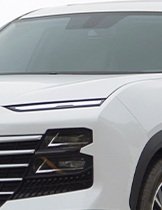 Perodua Viva EliteI will reveal some more since there is no correct answer
No, Not a KoreanToyota Urban Cruiser Taisor/ Suzuki FronXCorrect. Xpeng G6. Your turnYep. Saw this at the recent car showMitsubishi Pajero 2nd genAlso comes in some nice uncommon colours like the one in the photo






Account
Navigation
Search
Configure browser push notifications
Chrome (Android)
- Tap the lock icon next to the address bar.
- Tap Permissions → Notifications.
- Adjust your preference.
Chrome (Desktop)
- Click the padlock icon in the address bar.
- Select Site settings.
- Find Notifications and adjust your preference.
Safari (iOS 16.4+)
- Ensure the site is installed via Add to Home Screen.
- Open Settings App → Notifications.
- Find your app name and adjust your preference.
Safari (macOS)
- Go to Safari → Preferences.
- Click the Websites tab.
- Select Notifications in the sidebar.
- Find this website and adjust your preference.
Edge (Android)
- Tap the lock icon next to the address bar.
- Tap Permissions.
- Find Notifications and adjust your preference.
Edge (Desktop)
- Click the padlock icon in the address bar.
- Click Permissions for this site.
- Find Notifications and adjust your preference.
Firefox (Android)
- Go to Settings → Site permissions.
- Tap Notifications.
- Find this site in the list and adjust your preference.
Firefox (Desktop)
- Open Firefox Settings.
- Search for Notifications.
- Find this site in the list and adjust your preference.