



Skip to content
View in the app

A better way to browse. Learn more.

AutoLanka Forum

A full-screen app on your home screen with push notifications, badges and more.

To install this app on iOS and iPadOS
  1. Tap the Share icon in Safari
  2. Scroll the menu and tap Add to Home Screen.
  3. Tap Add in the top-right corner.
To install this app on Android
  1. Tap the 3-dot menu (⋮) in the top-right corner of the browser.
  2. Tap Add to Home screen or Install app.
  3. Confirm by tapping Install.

Project R - Interior update 29-01-18

(0 reviews)

What does one do when there’s nothing left to do? The interior! 

Picked up a beauty of a steering wheel from Dubai, since I last destroyed mine while trying to clean it. Plan is to send the old one to the UK for reupholstery. 

1C672B93-13FB-4135-A97D-D7DE6485AA00.thumb.jpeg.4f3152a5e1817ce85bd437f64e3e081e.jpeg

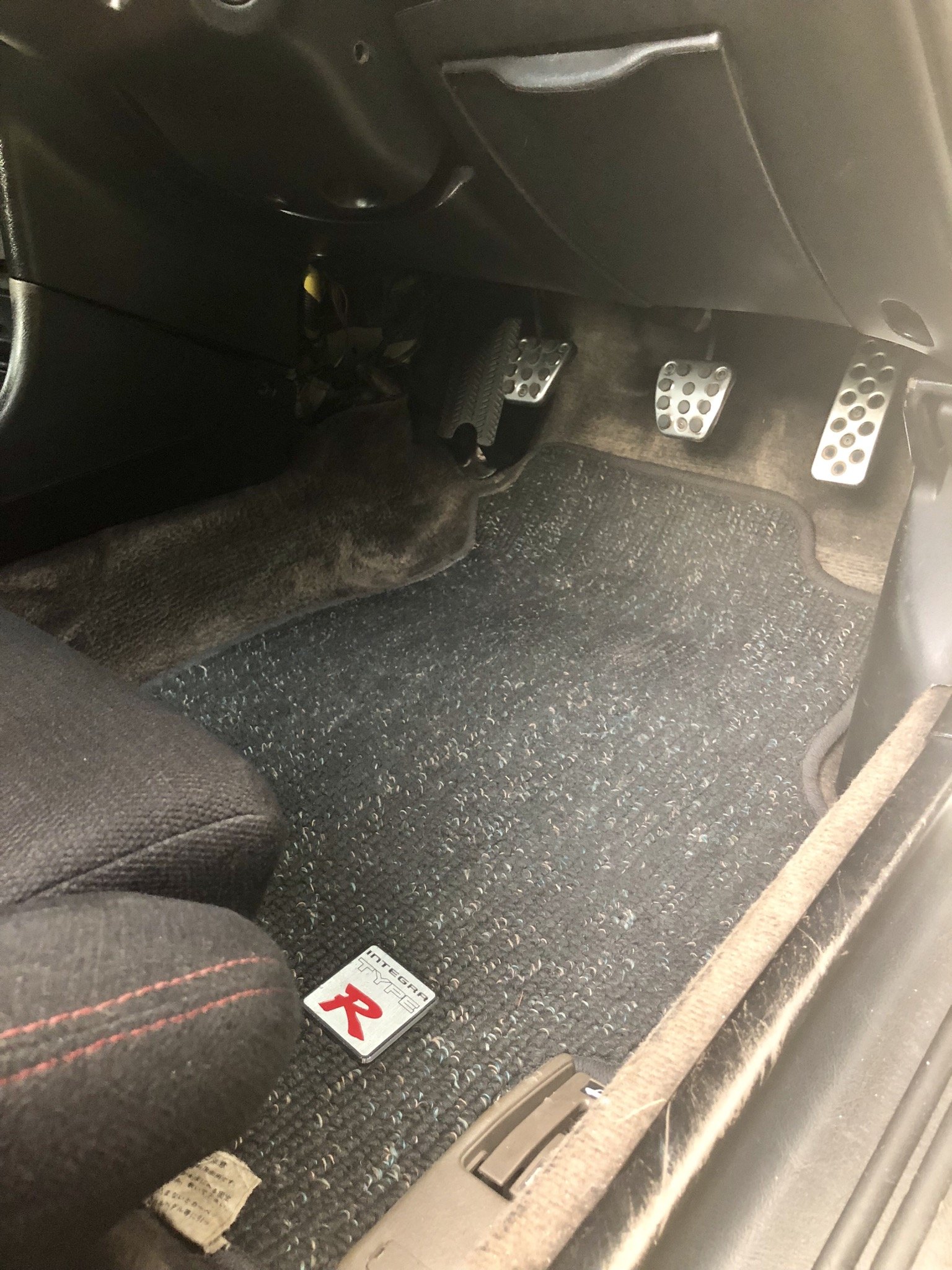
And the floor mats mats off of the OEM ITR sedan. These are mint!! 1C3E2A2F-E184-4131-AFCC-2579A0A0A987.thumb.jpeg.269d63373fe599670c6b3d1c4f164951.jpeg

BF42C1F2-139E-4330-8F3D-8EA5CFADB92F.thumb.jpeg.df0063139edcd311b729fcd34410de07.jpeg

D0BD7E8B-79DC-49C5-B511-3DD74C347009.thumb.jpeg.1d8b14e751b57b7a7ebe62c17bb07e66.jpeg

0 Comments

Recommended Comments

There are no comments to display.

Guest
Add a comment...

Account

Navigation

Search

Search

Configure browser push notifications

Chrome (Android)
  1. Tap the lock icon next to the address bar.
  2. Tap Permissions → Notifications.
  3. Adjust your preference.
Chrome (Desktop)
  1. Click the padlock icon in the address bar.
  2. Select Site settings.
  3. Find Notifications and adjust your preference.
